

libraly-logo
library-image

  • Let's find the perfect book for you together while we chat.

⚫︎HOW TO USE

How to Use “Finding books while we chat -with AI”
(6 Steps)

  • 1

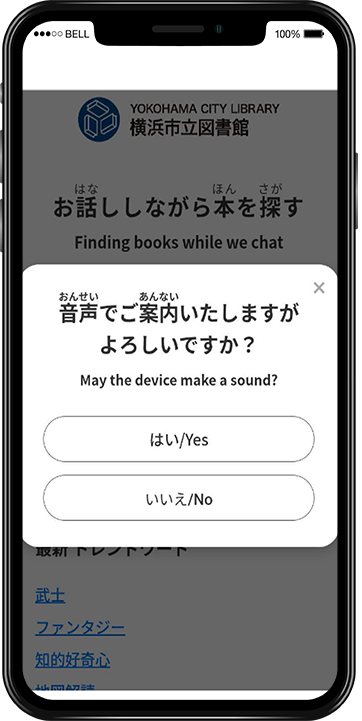
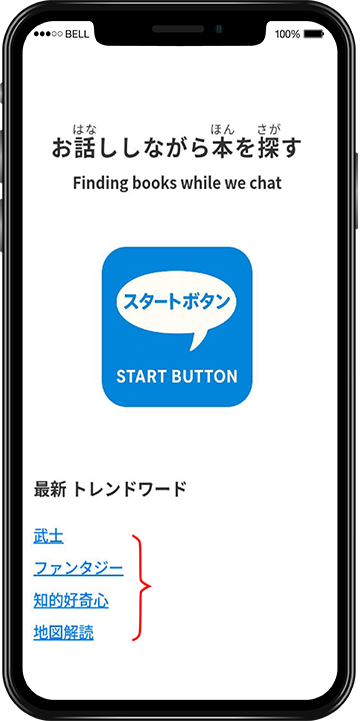
    Start the Service

    Press the “Finding books while we chat-with AI” button to get started.

    • ※You can also start by clicking on any of the text examples topics.
    • ※Please choose whether you’d like voice narration by selecting “Yes” or “No.”
    本のジャンル選択
  • 2

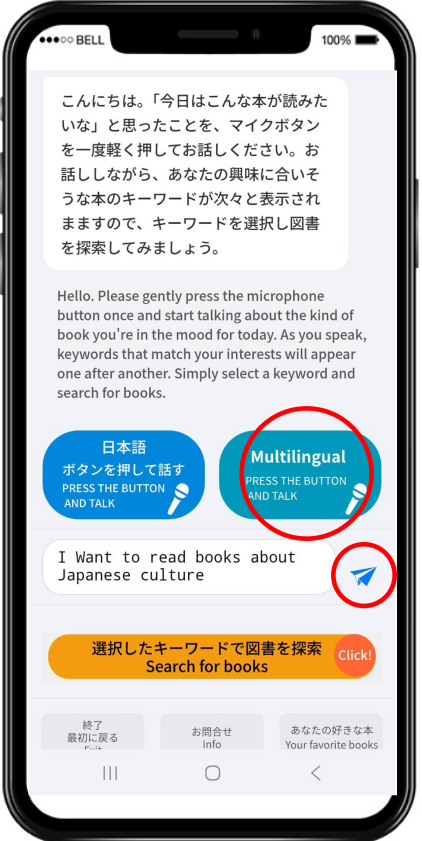
    Chat with AI

    Think about the kind of book you want to read today, and lightly press the microphone button to speak.
    When you finish talking, press the send (paper airplane) button. The AI will respond and continue the conversation with you.
    ※Please speak in the language you prefer.

    本をさがすボタン
  • 3

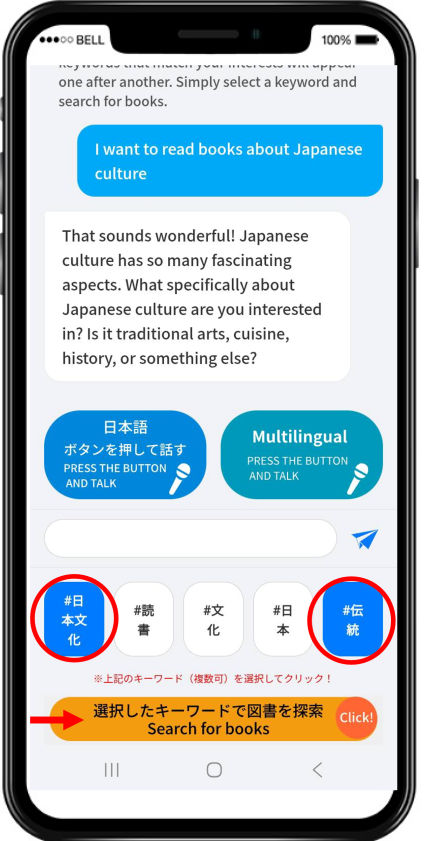
    Select Search Keywords

    While chatting, keywords for books that might interest you will appear.
    If a keyword catches your eye, tap to select it, then press the “Search Books with Selected Keywords” button.

    検索結果
  • 4

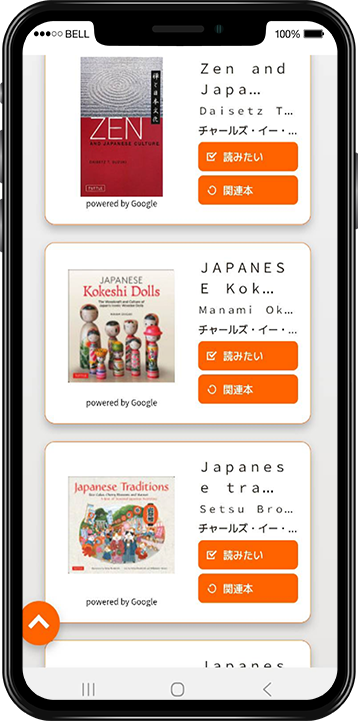
    Browse the Search Results

    The search results will be displayed so you can find books that interest you.

    • You can continue chatting and select different keywords to search again.
    • If you find a book you like, press the “Want to Read” button to go to the Yokohama City Library’s book details page, where you can also make a reservation.
    本の詳細
  • 5

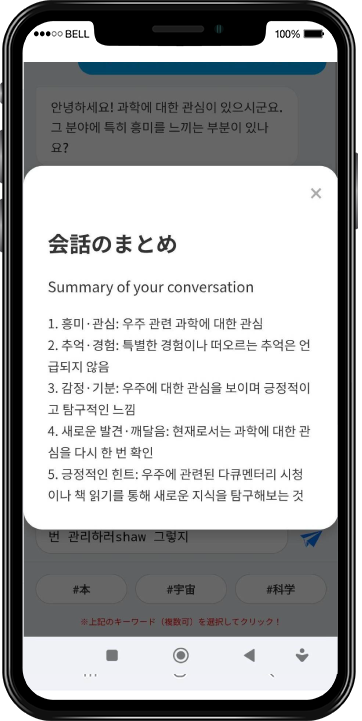
    View Your Chat Summary in “Your Favorite Books”

    Press the pink “Your Favorite Books” button to see a summary of your conversation.

    • You may discover new books, find books that suit you, and receive helpful tips.
    図書館で借りる
  • 6

    Other Useful Features

    • The service supports multiple languages.
    • To exit, press the “Exit” or “Back to Start” button at the bottom of the page.
    • You can also start a conversation by clicking on the trend keywords on the top page.
    読書を楽しむ

⚫︎BOOK

Example topics
You can talk about any subject you like.

💬 Finding books while we chat — with AI

  • The AI listens carefully and supports your book search through a natural, friendly conversation.

  • Based on your dialogue, it suggests keywords that match your interests.

  • Simply select a suggested keyword and tap the search button to instantly view book details.

  • The AI recommends books based on your conversation.

  • Even if you’re not sure what you want to read, you may discover new interests or insights as you chat.

  • At the end, tap the “Your Favorite Books” button to reflect on your conversation and find small inspirations to brighten your day.

※ Your conversation will not be used as AI training data.
※ AI responses may contain errors.
※ Please do not enter any personal information, such as your name, address, or Individual Number (My Number).
※ Because this service is part of a demonstration experiment, you may encounter errors if the number of available chats reaches its limit.

©︎ SHANRI Inc.